Purpose:
To allow users with Outlook emails to sign up with LeadNitro and allow LeadNitro to send sales & marketing emails on your behalf.
Please follow these steps:
1. Sign in to the Microsoft Entra admin center as a Privileged Role Administrator.
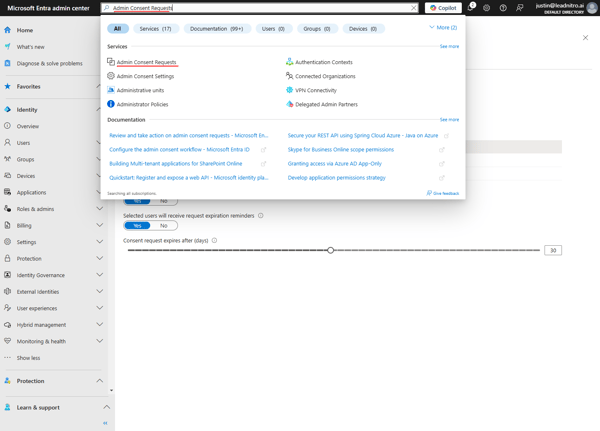
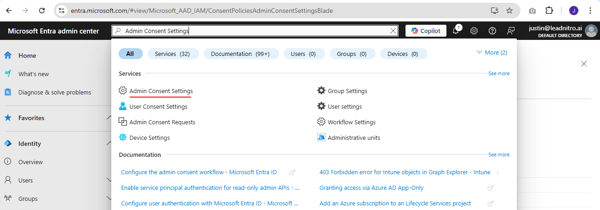
2. Search and go to "Admin Consent Settings."
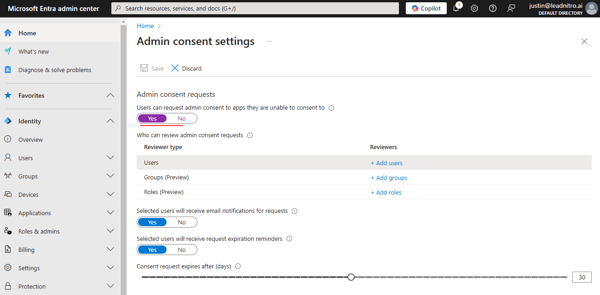
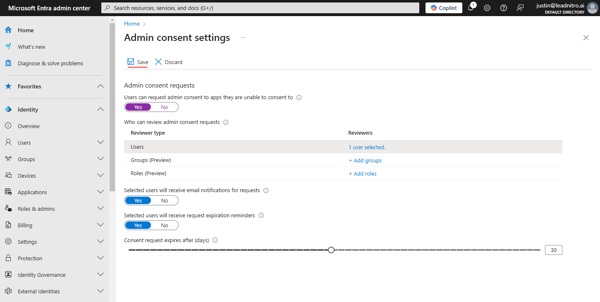
3. Toggle the "Users can request admin consent to apps they are unable to consent to" to "Yes".
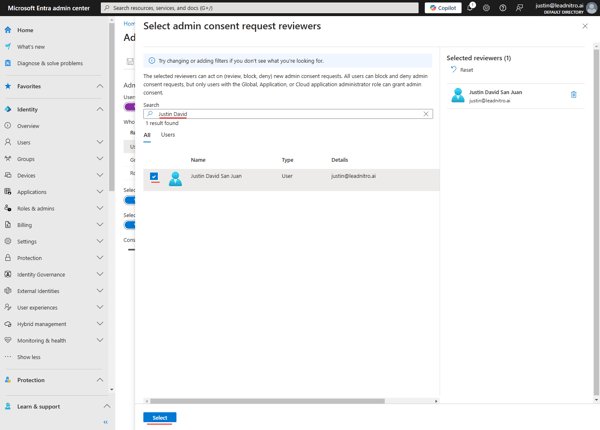
4. Click "+ Add users" and then search the user with the email address that will use the LeadNitro platform.
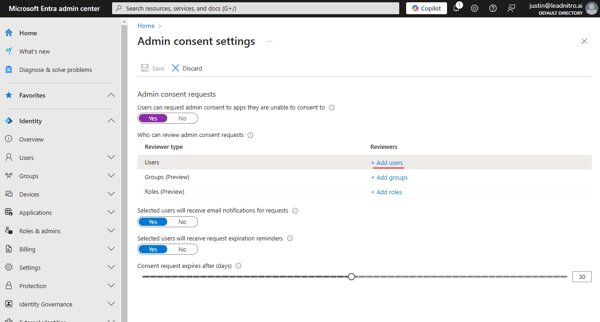
5. Select the user then click "Select" at the bottom.
6. Finally, click Save in the "Admin consent settings" page.
7. Wait for a minute for the setting to take effect, then request the user to attempt to set up their sender on LeadNitro again. Instruct them to "request admin approval" when they see the "Requires admin approval" error.
8. Once the user has sent the request, you can search and go to "Admin Consent Request" then approve the request.