Features Tutorials
Outlook Integration and Admin Approval
A step-by-step to allow users with Outlook emails to sign up with LeadNitro.
1. Log into LeadNitro platform
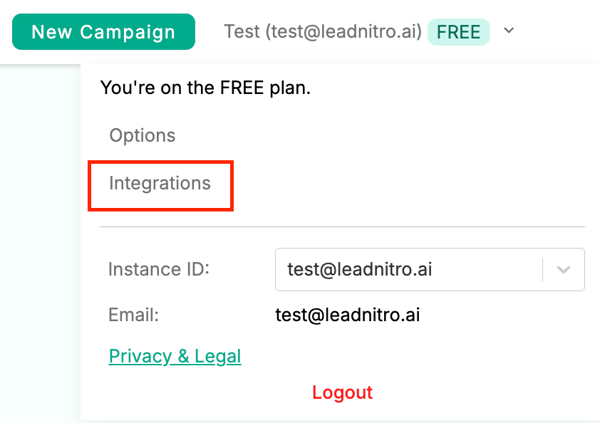
2. Click the top right where your account is shown

3. Click Integrations
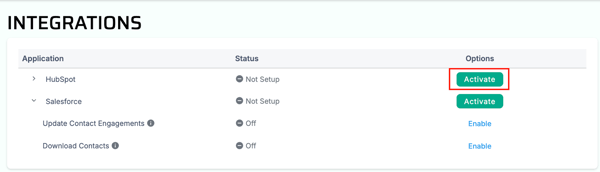
4. Click the Activate button on the HubSpot row
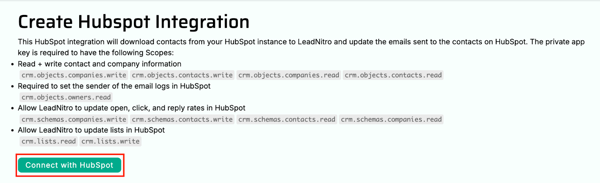
5. Click Connect with HubSpot
6. Choose a HubSpot account
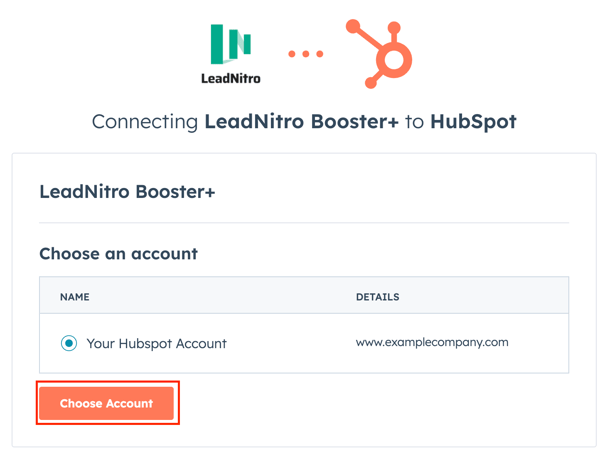
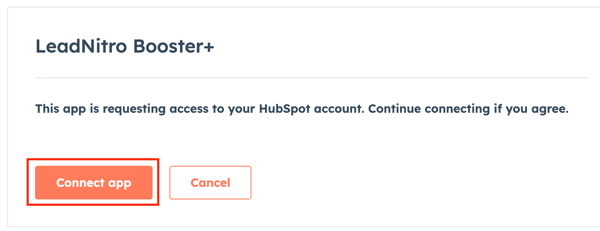
7. Click Connect App
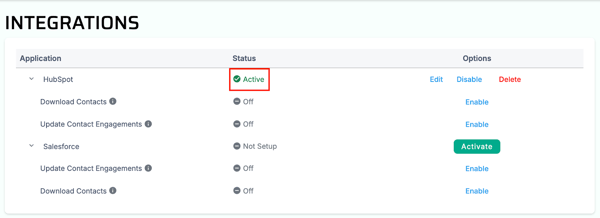
8. If integrated correctly the Status on the HubSpot row should be set to Active
If you are still running into issues with HubSpot integration, please email us at support@leadnitro.ai and we'll assist you right away!
A step-by-step to allow users with Outlook emails to sign up with LeadNitro.
Discover how LeadNitro’s predictive AI lead scoring analyzes over 50 million data points to turn warm leads into hot prospects, helping your team...